What Do We Mean by “Place”? How FreeCEN Uses Location in Census Records
When you search the UK censuses on FreeCEN, it’s natural to begin with a place — often a birthplace or a county linked to your family. But, as many researchers discover, place in the census is rarely straightforward.
Census records reflect centuries of administrative change, shifting boundaries, local spellings, and evolving systems of record-keeping. FreeCEN has had to accommodate all of this complexity to make census data searchable, accurate, and useful for family historians today.
To help explain how this works, this article draws on the experience and research of Geoff Jarvis, Chair of the FreeCEN Steering Committee, who has documented how place is used in UK census records.
Why censuses are more complicated than they look
The UK censuses were created for government purposes, not for genealogy.
The earliest modern census in 1841 collected relatively limited information. Over time, however, the census became a much more detailed statistical tool, designed to inform government policy and planning. By 1921, the scope of information collected closely resembled the type of data gathered by modern official statistics bodies.
Across the decades, censuses recorded details reflecting contemporary concerns, including occupations, housing conditions, sanitation, population movement, and even the number of rooms with windows in Scottish homes. While this makes census records rich sources of information, it also means they are structured in ways that can be confusing for modern researchers.
The first meaning of place: where the census was taken
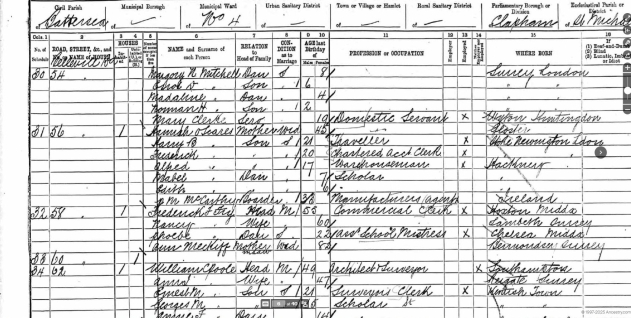
One of the most important things to understand about census records is that they are organised by where the census was taken, not by place of birth.
This structure is rooted in historical systems of local administration.
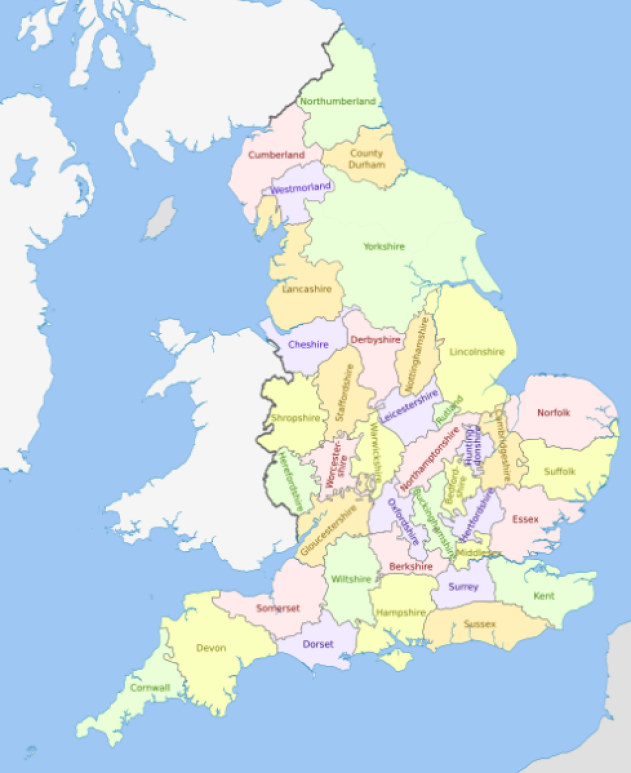
England Counties 1851 (https://commons.wikimedia.org/...
From Hundreds to Registration Districts
Before modern local government, England was divided into administrative units known as Hundreds, with equivalents such as Wapentakes, Wards, Rapes and Lathes used in different parts of the country. These units shaped local administration for many centuries.
When the first modern census was taken in 1841, census data was collected within ecclesiastical parishes, grouped under Hundreds, which usually followed county boundaries.
By 1851, administration had shifted to Registration Districts, originally created for civil registration of births, marriages and deaths. These districts were based on Poor Law Unions and were made up of multiple civil parishes. Importantly for researchers, Registration Districts did not always respect county boundaries.
This historical change still affects how census records are organised and searched today.
The structure of a census record
Because of the volume of information collected, each census was divided into a clear hierarchy.
Using Somerset in 1881 as an example:
- The county was divided into Registration (Reg'n) Districts
- Each Registration District was divided into pieces
- Each piece covered one or more civil parishes
- Civil parishes were divided into enumerator’s districts
In practical terms, the structure looks like this:
Year → County → Reg'n District → Piece → Civil Parish → Enumerator’s District
This structure is used by The National Archives and underpins how census records are stored, referenced and accessed.
Why this can be confusing
Because Registration Districts can cross county boundaries, census records can sometimes appear to place locations in the “wrong” county.
For example, Appledore in Devon fell within the Registration District of Wellington, which was based in Somerset. As a result, records for Appledore (which is physically located in Devon) may appear under Somerset in the original census organisation.
For researchers who know where a place is geographically, this can lead to confusion or missed records if searches rely solely on county boundaries.
One of the key developments in the current version of FreeCEN has been addressing this issue. Historical pieces have been split so that places appear in their correct counties when searched, even when the original administrative structure crossed county lines.
The second meaning of place: place of birth
For most family historians, place of birth is one of the most valuable details in a census record — and also one of the most challenging.
The “Where Born” column may contain:
- A civil or ecclesiastical parish
- A town or city
- A hamlet or village
- A farm, manor or individual building
- A vague geographical description
In the 19th century, spelling was often phonetic, particularly before standardised education became widespread. Enumerators generally spelled local places accurately but were less familiar with names from other parts of the country.
When combined with local dialects, informal place names, and multiple places sharing the same or similar names, interpreting birthplace information can be difficult. In some counties, including Somerset, several places may have identical or near-identical names that were used differently by local residents.
The FreeCEN Gazetteer: making sense of place
To manage this complexity, FreeCEN uses a Gazetteer, a curated database containing over 60,000 place names from across the UK, Ireland and beyond.
Although largely invisible to users, the Gazetteer is one of FreeCEN’s most important tools.
Each entry includes:
- Verified place names and known alternatives
- Latitude and longitude
- A source reference, such as GENUKI, Wikipedia or Irish Townlands
Places are only added when there is reliable evidence that they existed.
When census records are processed, places of birth are linked to the Gazetteer wherever possible. Where a place cannot be matched automatically due to spelling variations, dialect or ambiguity, it is reviewed during validation.
Validation: where local knowledge matters
FreeCEN’s transcription process has four stages: transcribe, proofread, validate and incorporate.
Validators play a crucial role in resolving place names. Their work may include:
- Recognising local pronunciations or colloquial names
- Comparing entries across different census years
- Researching historical place names
- Linking phonetic spellings to the correct Gazetteer entry
FreeCEN follows a strict policy of transcribing exactly what appears in the original record. Any interpretation or correction is added alongside the original wording, rather than replacing it. This approach preserves the historical record while still making the data usable for searching.
Why geography matters for searching
Because each Gazetteer entry includes latitude and longitude, FreeCEN can support searches by geographic location as well as by name.
This is particularly helpful for:
- Researchers unfamiliar with UK geography
- Overseas users
- Cases where place names are vague or inaccurate
Searching around a location rather than relying on an exact place name can uncover records that might otherwise be missed.
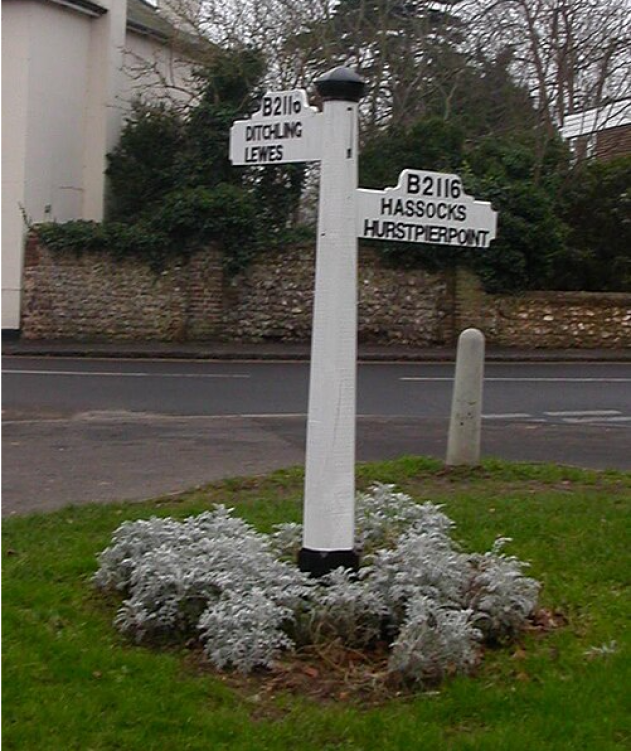
Old Fingerpost in Keymer (West Sussex)
Four meanings of “place” in FreeCEN
Within FreeCEN, place has several distinct but interconnected meanings:
- The place where the census was taken
- The place of birth recorded in the census
- The geographical place recorded in the Gazetteer
- Administrative places such as Hundreds and Registration Districts
Understanding these different layers helps explain why census research can sometimes feel complicated, and why a flexible approach to searching is often more successful.
Place is history, not just geography
Places change over time. Names evolve, boundaries shift, villages shrink or disappear, and farms become fields. Census records capture places as they were understood at a particular moment in history.
By preserving this complexity rather than simplifying it away, FreeCEN maintains both the historical accuracy of the records and the context of people’s lives, giving researchers a clearer path to finding their ancestors.
Useful resources
To explore census places in more depth, the following resources are particularly helpful:
GENUKI – parish, county and local history information
The National Archives – census structure and piece references
Understanding census places isn’t just about geography — it’s about history. Learning how places were recorded, changed and interpreted will give you greater confidence and insight in your research.
With thanks to Geoff Jarvis, Chair of the FreeCEN Steering Committee, for his expertise and extensive work documenting census places.